
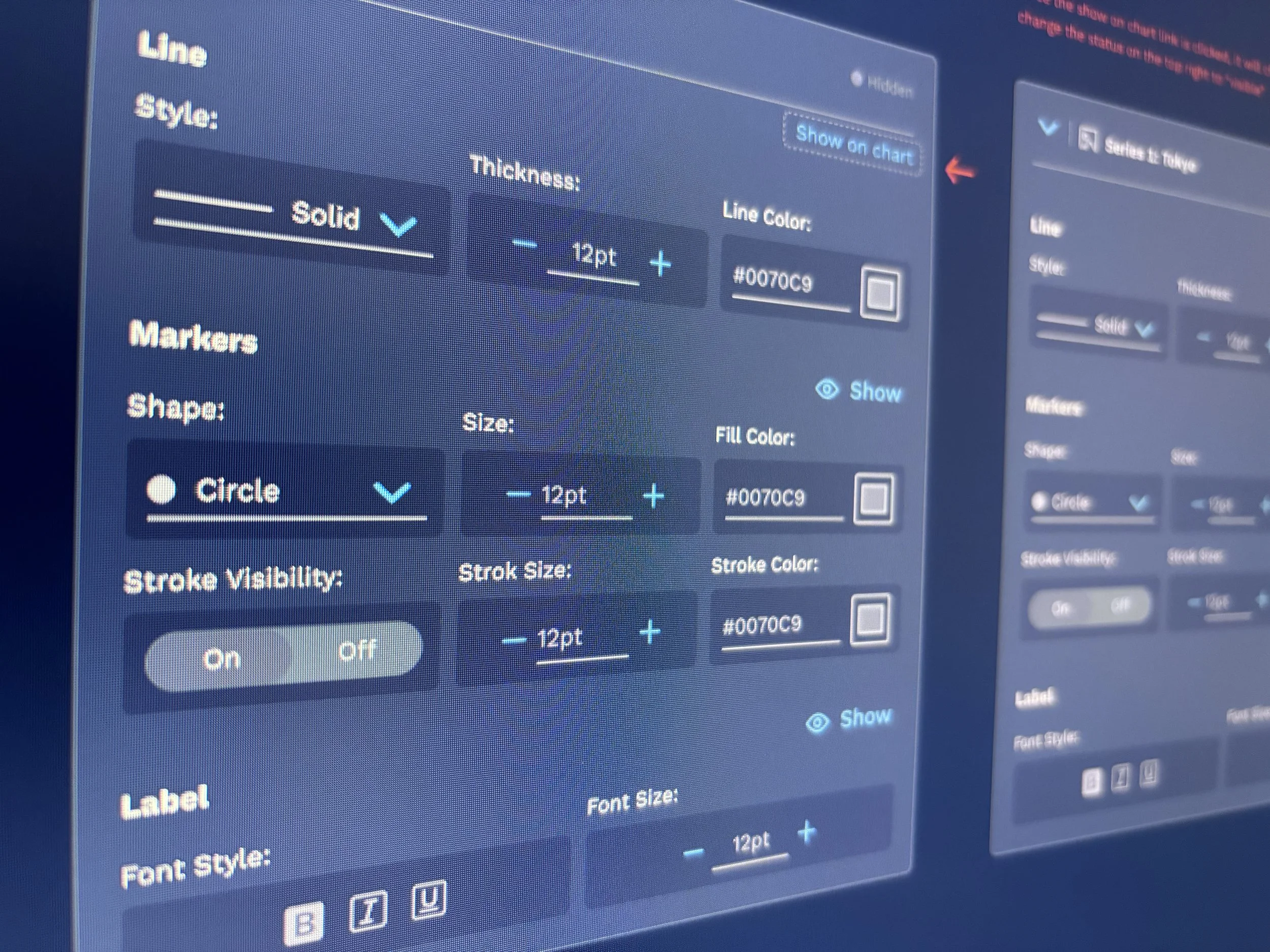
Accelerating Enterprise Product Design with AI
Overview
As Highcharts adoption expanded across FactSet, so did the complexity of its authoring experience. While the underlying charting engine was powerful, the editor had become increasingly difficult to navigate, making it challenging for both end users creating visualizations and internal product teams responsible for configuring them.
Our objective was to redesign the experience from the ground up while exploring how AI could fundamentally change the way enterprise products are researched, designed, prototyped, and delivered.
Role
VP Associate Director
UX & Design Systems
Organization
Factset
Team
Fusion Design System
Timeline
2.5 months
Deliverables
Lightweight visualization editor for FactSet end users and a full-featured authoring environment for internal product teams
Outcome
Delivered two working AI-assisted prototypes with more than 70% reusable production-quality code, providing engineering with a strong foundation for implementation while dramatically accelerating design iteration.
The Challenge
The project required solving two related but distinct problems.
The first was to create a streamlined editor that enabled FactSet end users to quickly build meaningful visualizations from their data. The second was to design a comprehensive authoring environment that allowed internal designers, developers, and product managers to configure every aspect of those visualizations for enterprise applications.
Beyond usability, we wanted to establish a new way of working. Rather than using AI as a standalone productivity tool, we explored how it could become an integrated part of the product development lifecycle—accelerating competitive research, design exploration, prototyping, and engineering collaboration.
My Contributions
As UX design lead, I partnered with a cross-functional team of designers and developers to define the product vision, information architecture, interaction model, and visual direction for the editor.
My responsibilities included:
Leading UX strategy and visual design.
Conducting AI-assisted competitive research and design exploration.
Redesigning the editor’s information architecture and workflows.
Establishing an AI-enabled design-to-code workflow.
Collaborating directly with engineering through interactive prototypes and reusable production code.
Highlights
AI-Enabled Product
Development
Established an AI-assisted workflow using ChatGPT, Claude Code, Figma MCP, Highcharts MCP, Fusion Design System MCP, Visual Studio Code, and GitHub to accelerate research, design, prototyping, and design-to-code collaboration.
70%+ Reusable
Production Code
Delivered two fully interactive prototypes that generated more than 70% reusable production-quality code, providing engineering with a strong implementation foundation.
2.5-Month
Delivery
Designed and prototyped both a lightweight chart editor for FactSet users and a full-featured authoring experience for internal product teams with a seven-person cross-functional team.
Key Design
Decisions
Reframing the Authoring Experience
The existing editor organized controls by technical property type, forcing users to jump between unrelated sections to modify a single part of a chart.
We reorganized the experience around the visualization itself.
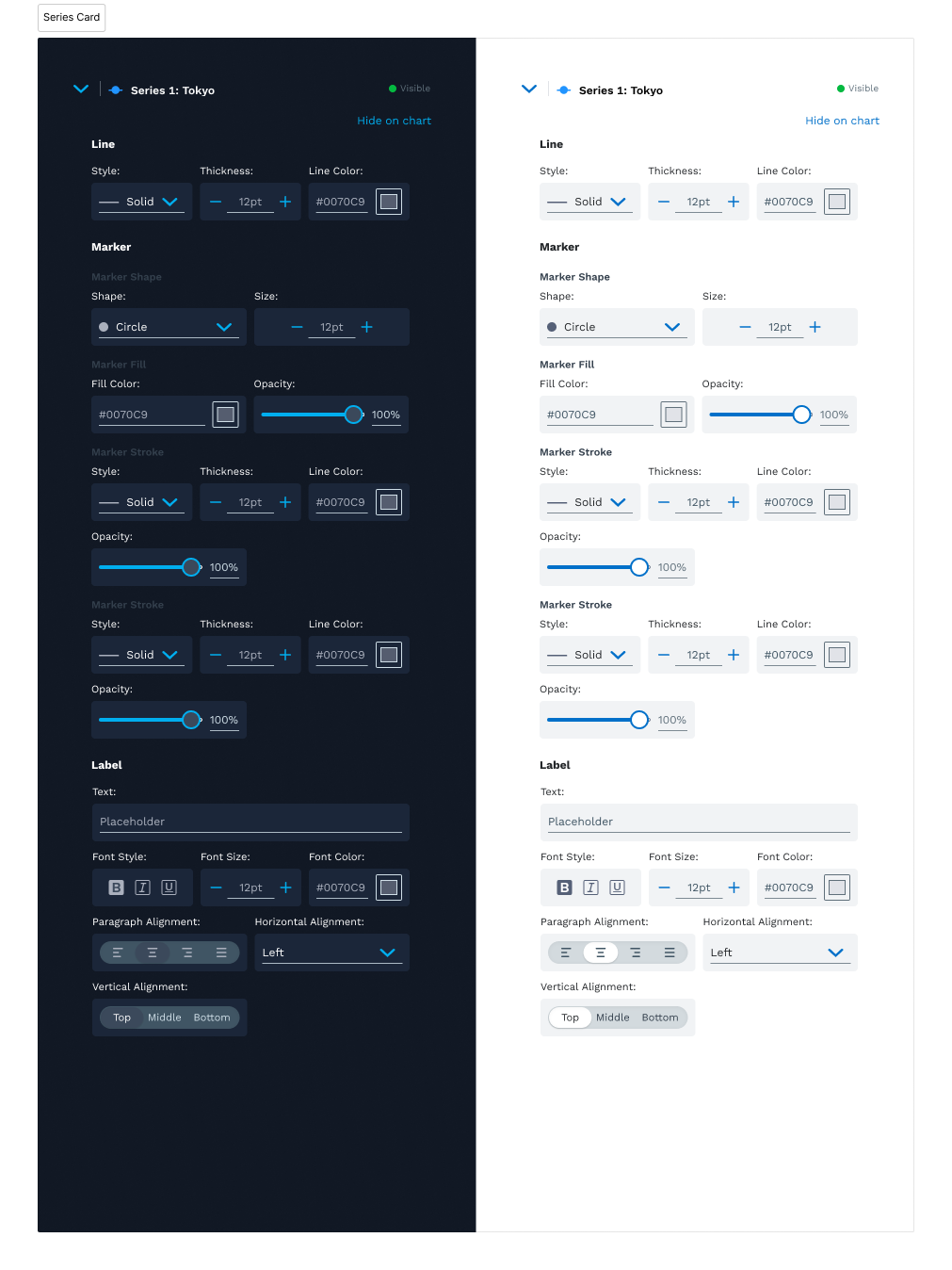
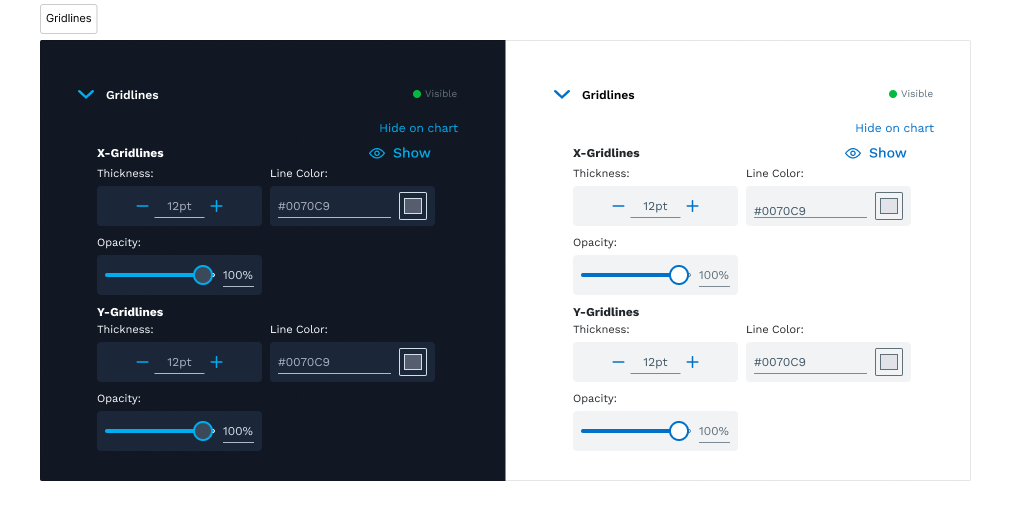
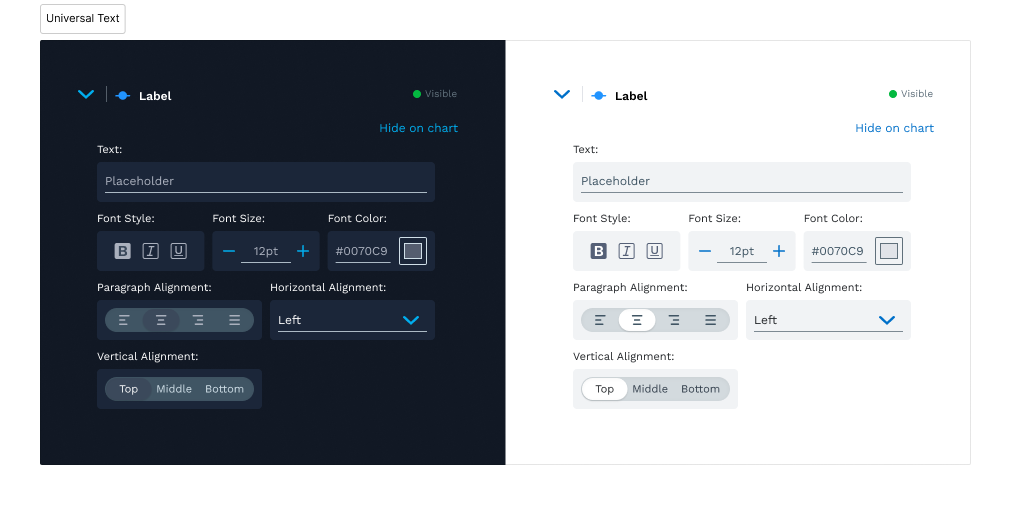
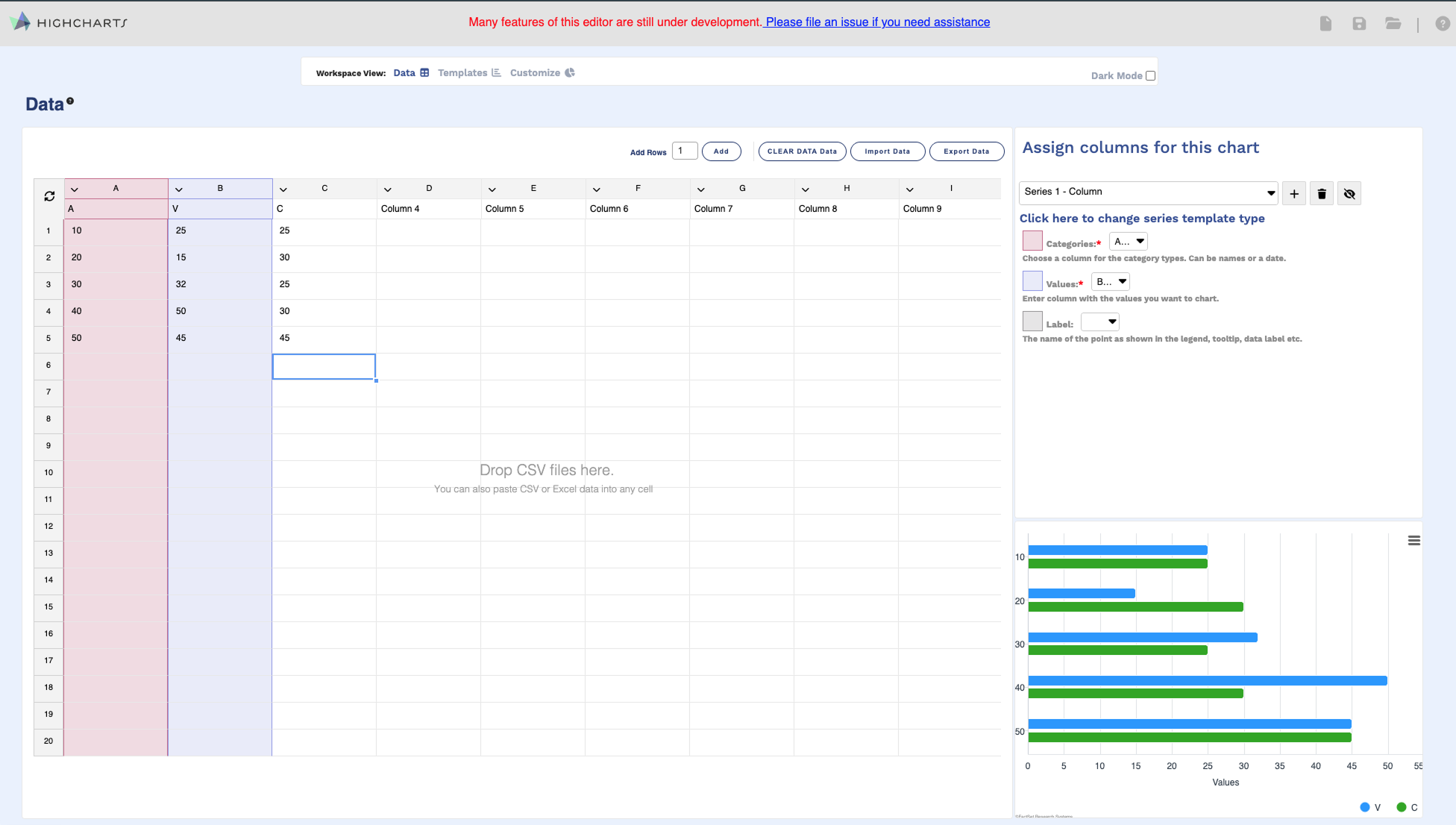
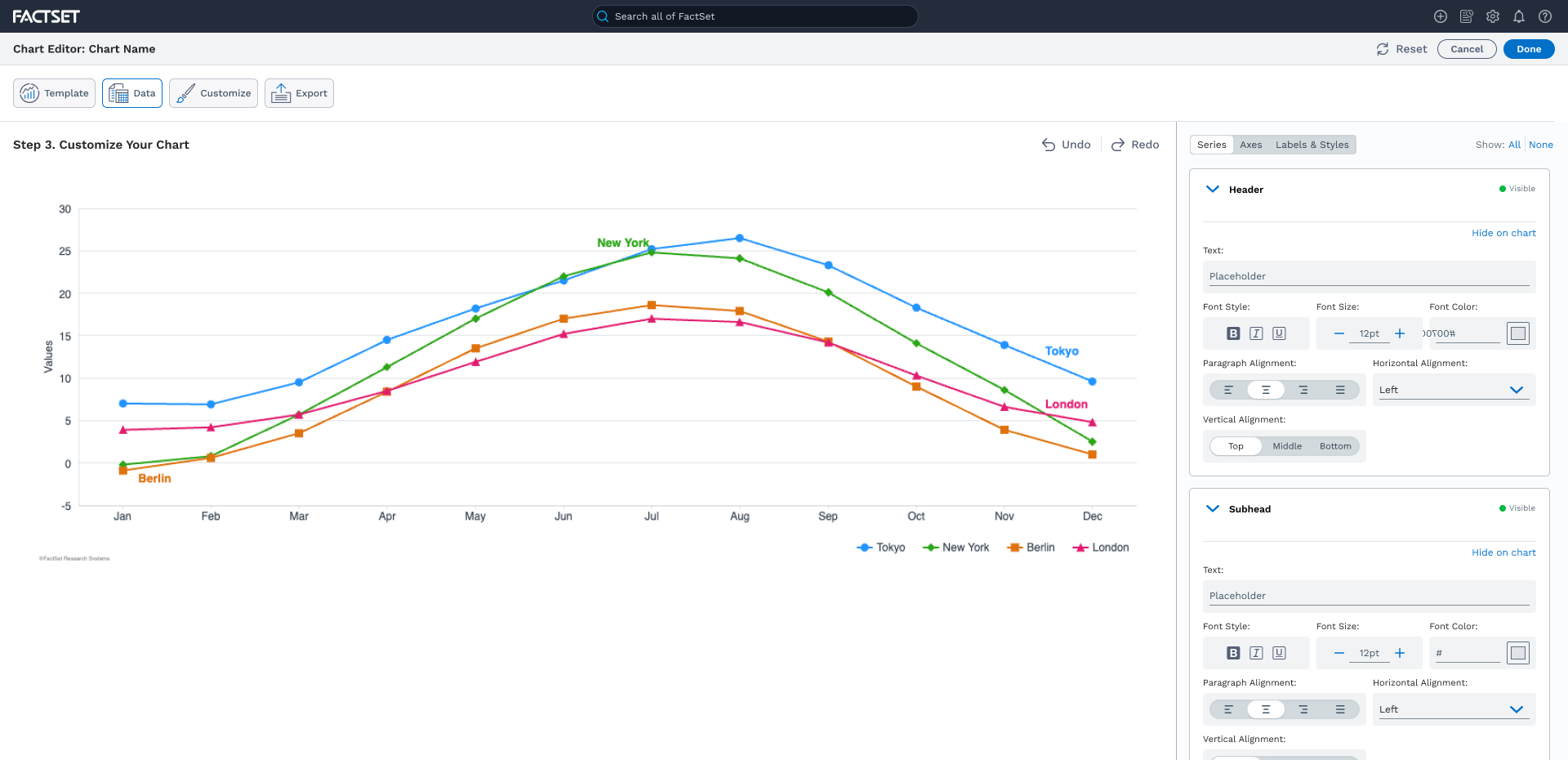
Each series, axis, legend, and chart element became its own contextual workspace containing the typography, borders, backgrounds, labels, and styling options relevant to that element. This aligned the interface with users’ mental models, reduced context switching, and made complex editing tasks significantly easier to understand.
Simplifying
Data Mapping
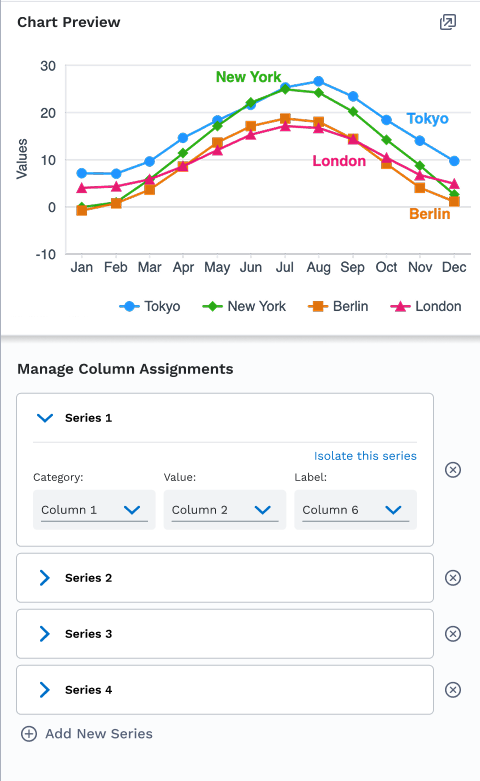
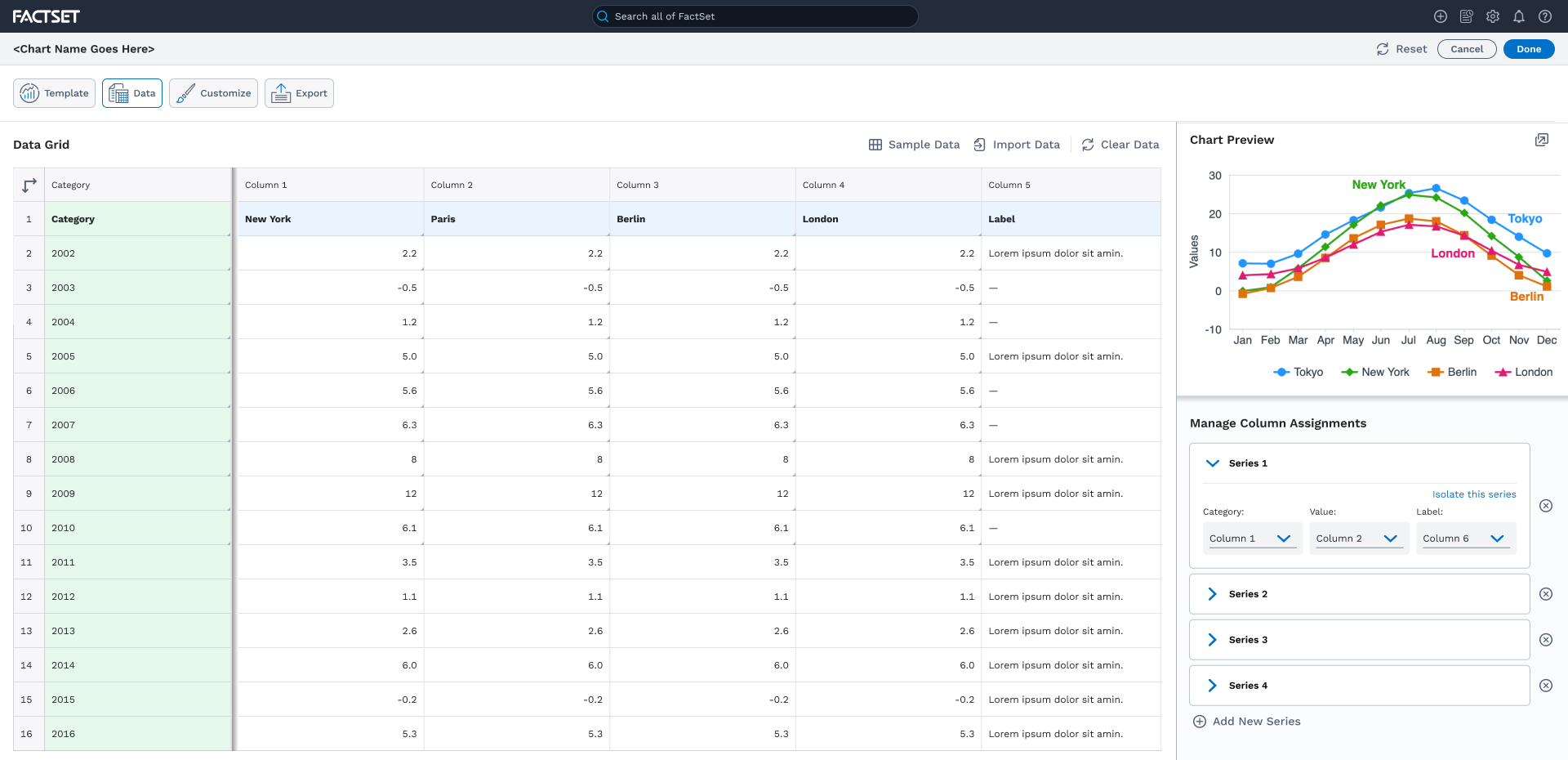
Mapping raw data into meaningful visualizations proved to be one of the most complex workflows.
Instead of hiding multiple data series behind shared controls, we exposed each series independently and intentionally repeated common properties where appropriate. While this introduced some redundancy, it made relationships between data and visualization much clearer and helped users understand exactly which settings affected each series.
The result was a more intuitive workflow that supported both novice and advanced users while reinforcing consistency throughout the editor.
Designing for
Clarity & Scale
As configuration panels became more complex, scanability quickly became a usability issue.
Rather than introducing an entirely new component library, we enhanced existing Fusion form patterns using subtle background treatments that visually grouped related controls while requiring minimal engineering effort.
We also built the experience around a small collection of reusable property groups—such as typography, backgrounds, borders, and line treatments—that could be composed throughout the editor. This minimized the number of new components required while creating a scalable foundation for future enhancements.
Context-Aware
Undo & Redo
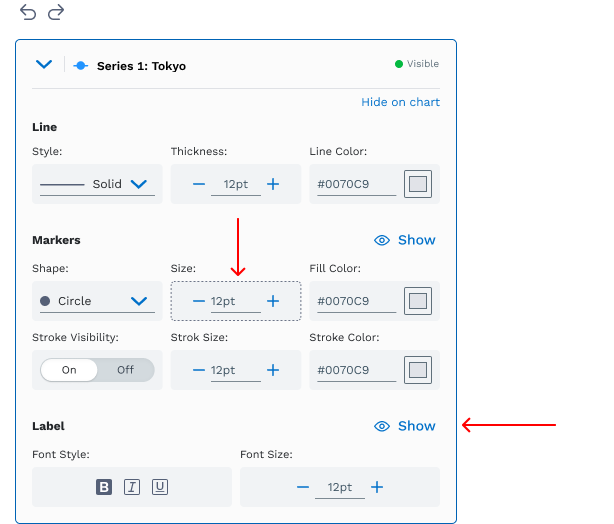
Undo and Redo were introduced as entirely new capabilities.
Rather than simply reverting changes, the editor restored the user’s editing context by automatically navigating to the affected panel, bringing the appropriate controls into view, and updating the visualization in real time.
This simple interaction dramatically reduced cognitive load by helping users immediately understand how each action affected the chart.
AI-Enabled Product
Development
AI was embedded throughout the project rather than added as a supporting tool.
ChatGPT accelerated competitive analysis and helped identify patterns from leading visualization editors that informed our design direction. Claude Code, connected through MCP integrations with Figma, Highcharts, and the Fusion Design System, transformed our designs into working interactive prototypes that designers and developers could immediately evaluate together.
Working in Visual Studio Code with GitHub, we established a continuous design-to-code workflow where ideas could be explored, validated, and refined in hours instead of weeks.
One of our biggest discoveries was that AI consistently produced the strongest results when guided by visual references from Figma or competitive examples rather than text prompts alone.
AI-Enabled Product
Development
AI was embedded throughout the project rather than added as a supporting tool.
ChatGPT accelerated competitive analysis and helped identify patterns from leading visualization editors that informed our design direction. Claude Code, connected through MCP integrations with Figma, Highcharts, and the Fusion Design System, transformed our designs into working interactive prototypes that designers and developers could immediately evaluate together.
Working in Visual Studio Code with GitHub, we established a continuous design-to-code workflow where ideas could be explored, validated, and refined in hours instead of weeks.
One of our biggest discoveries was that AI consistently produced the strongest results when guided by visual references from Figma or competitive examples rather than text prompts alone.
AI didn’t replace the design process—it compressed the distance between ideas, working software, and better decisions.
Outcomes
In just 2.5 months, our seven-person team designed and developed two interactive visualization editors while establishing an AI-assisted product development workflow that dramatically accelerated iteration.
The resulting prototypes generated more than 70% reusable production-quality code, giving engineering teams a strong implementation foundation while enabling designers, developers, and product managers to collaborate around a shared, interactive prototype throughout the project.
More importantly, the initiative demonstrated how AI can meaningfully accelerate enterprise product design—not by replacing designers, but by strengthening collaboration, shortening feedback loops, and allowing teams to validate ideas earlier in the development process.
Reflection
This project changed the way I think about product design.
The greatest value of AI wasn’t automation—it was acceleration. By combining competitive research, visual design, and AI-assisted development into a continuous workflow, we dramatically reduced the time between ideas and working software while maintaining the design thinking, systems perspective, and collaboration needed to build enterprise products.
I believe this represents the future of product development: designers and engineers working alongside AI to explore more ideas, validate them faster, and deliver better experiences with greater confidence.
Case Studies in Organizational, Product & AI Transformation
-
Building a Creative Organization
Helped transform a 40-person regional digital agency into a nationally recognized creative consultancy by scaling multidisciplinary teams, introducing new capabilities, developing leadership, and creating a culture that enabled creativity, collaboration, and sustainable growth.
-

Operationalizing an Enterprise Brand
Helped transform The Hartford's brand into a scalable enterprise system by creating reusable standards, governance, and implementation guidelines that unified communications across business lines, internal teams, and agency partners.
-
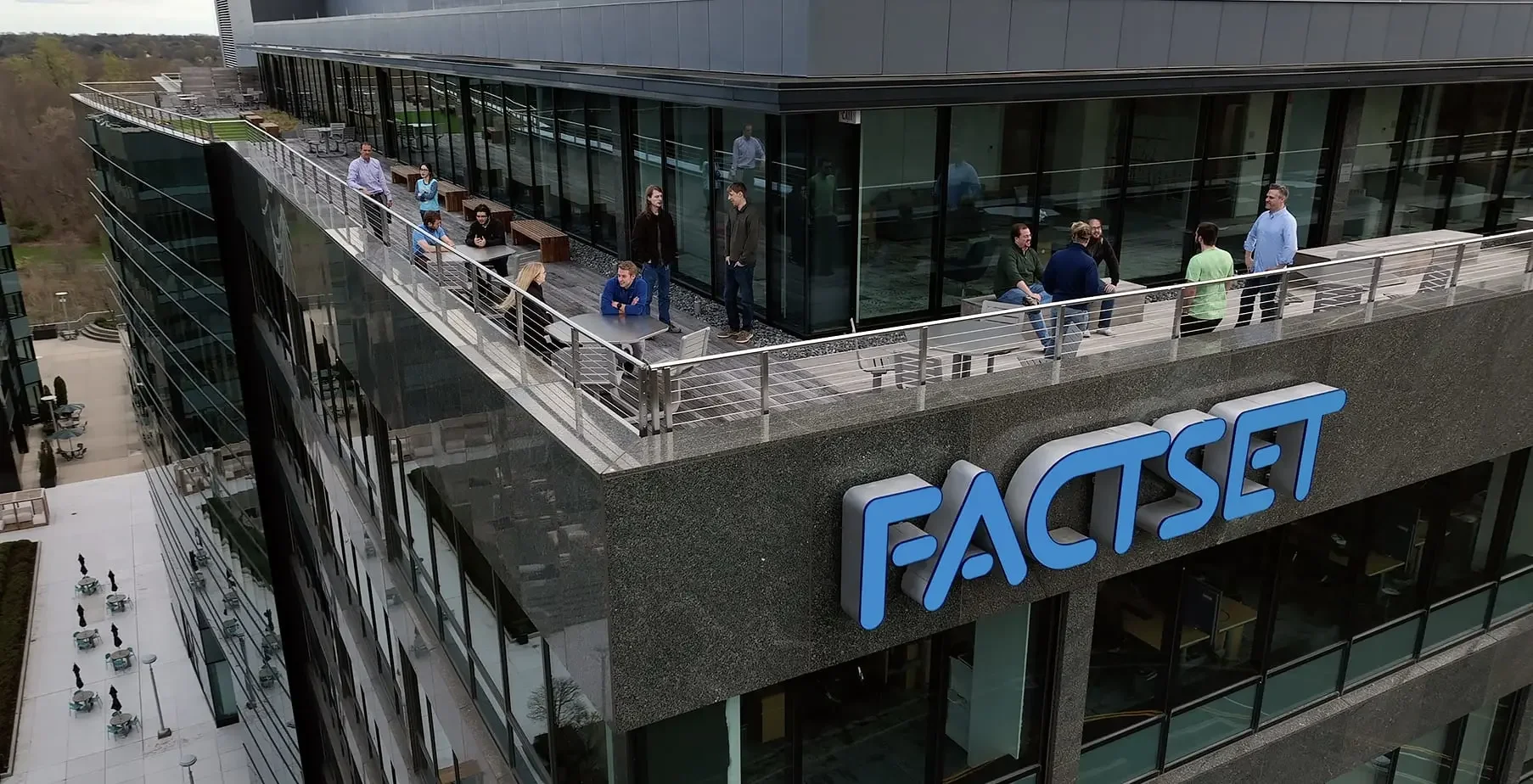
Transforming a Global Design System into One Unified Team
Unified a globally distributed Design Systems organization by establishing shared governance, scalable operating models, and cross-functional collaboration across Design, Engineering, Product Management, Accessibility, UX Writing, Research, and Agile—turning Fusion into a more connected, consumer-focused organization.
-
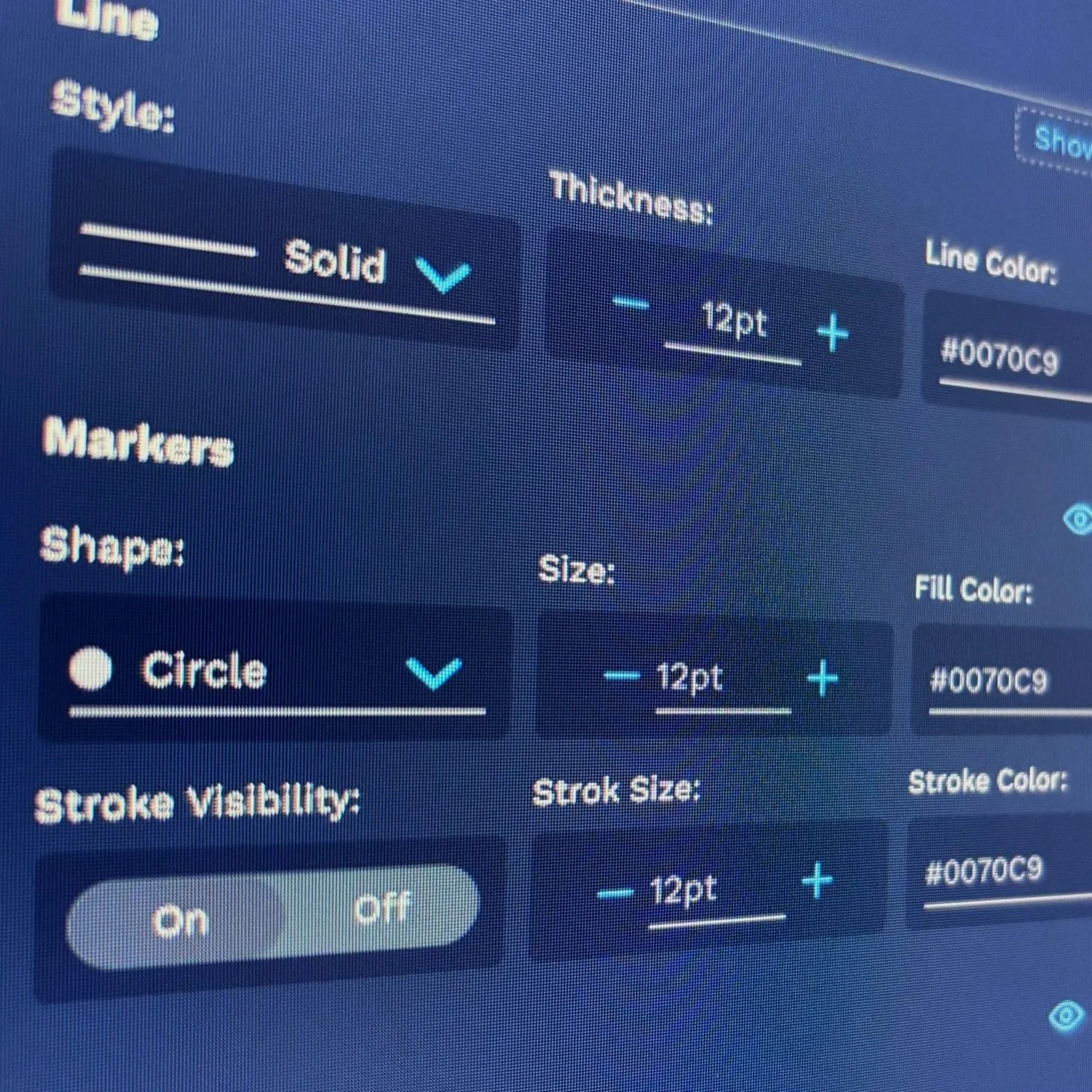
Accelerating Enterprise Product Design with AI
Redesigned the Highcharts authoring experience while pioneering an AI-enabled design-to-code workflow using ChatGPT, Claude Code, and MCP integrations. Delivered two interactive enterprise prototypes in just 2.5 months, generating 70%+ reusable production-quality code.
-

Leading Cadillac's Digital Transformation
Directed the UX and creative vision for Cadillac's digital relaunch, balancing immersive brand storytelling with enterprise-scale commerce and creating reusable design standards that supported the entire digital ecosystem.